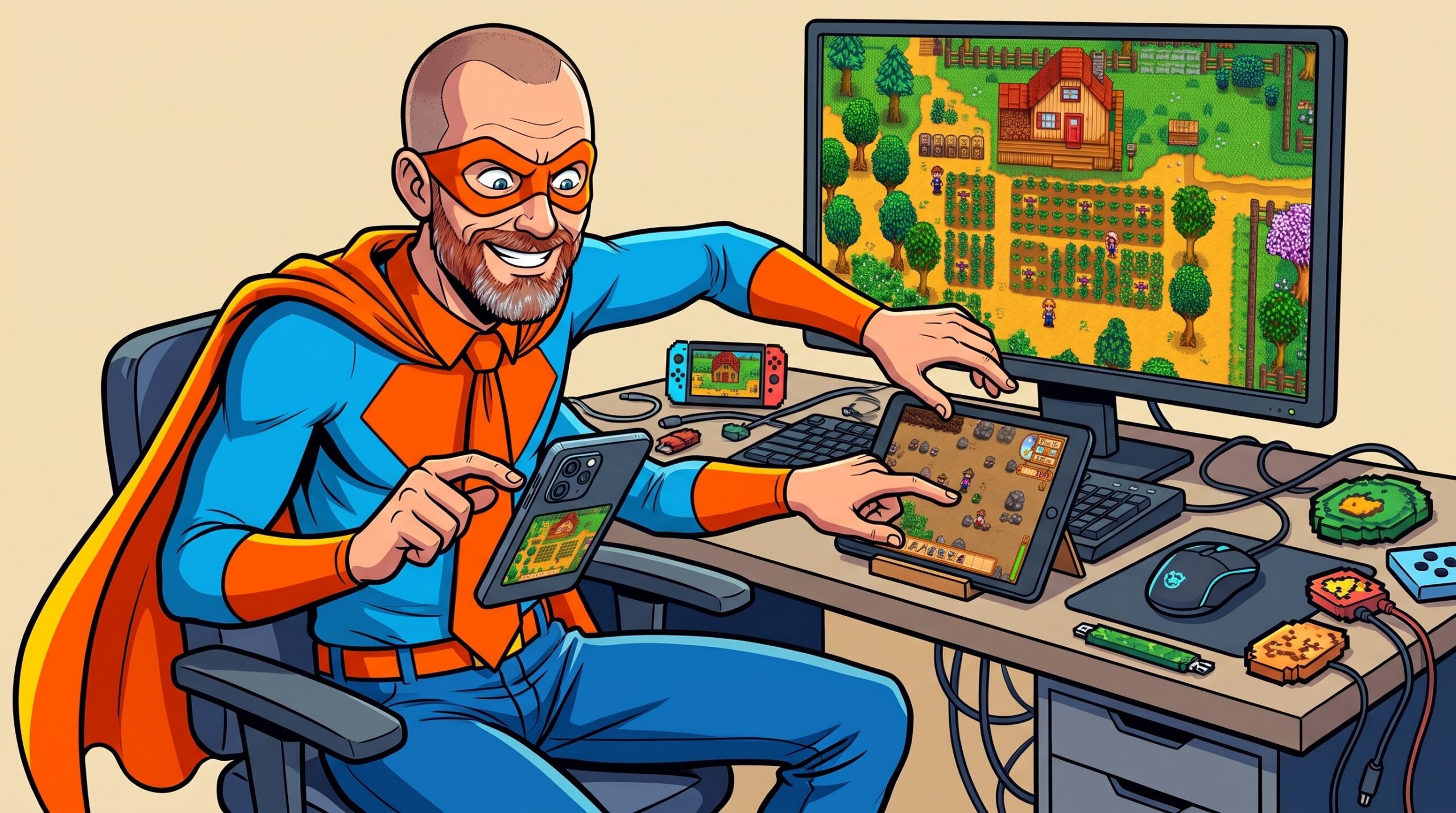
Stardew Valley lives on three of my screens: an Android phone, an Android tablet and a Windows PC. Each has its own farms, and none of them knows about the others. The mobile version has no cloud saves, and moving a farm by hand means digging through a folder Android has hidden from normal apps since Android 11.
So on one long Sunday I sat down with Claude and asked for an Android app that backs up my farms and keeps them in sync through my own Google Drive. I am not a developer. By the evening there was a 1.0, it is called Farm Sync, and it is on GitHub under the MIT licence. In between, a second AI reviewed it six times and found 41 ways it could have eaten a farm.
The short version
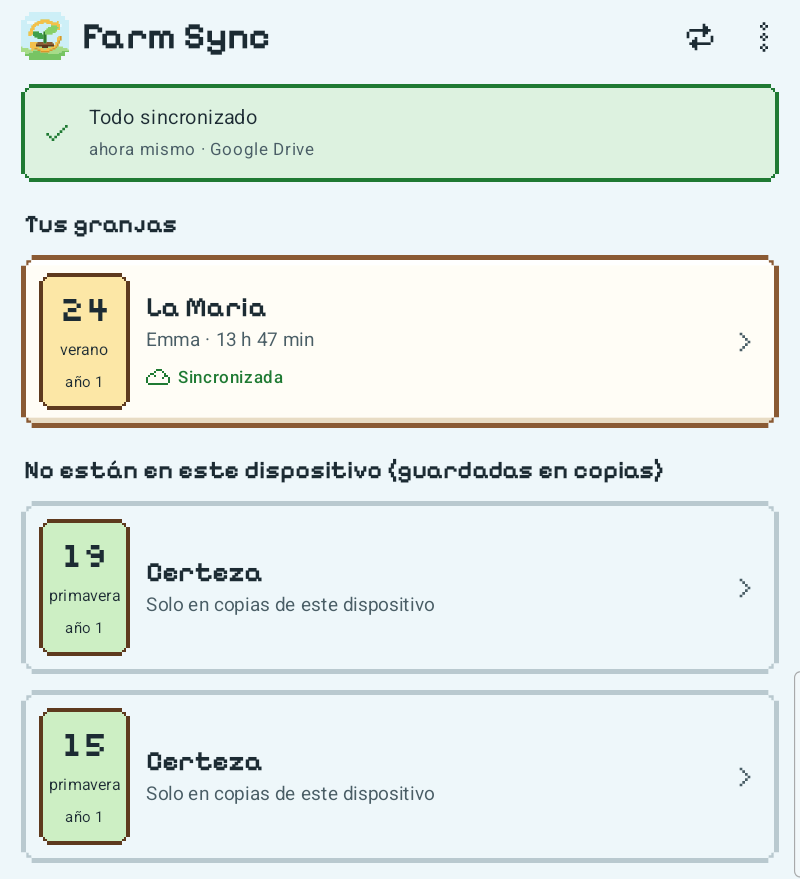
- What: an Android app that backs up Stardew Valley farms and syncs them between devices through a folder in your own Google Drive.
- How: Shizuku gives it access to the game’s save folder; it uses Google’s
drive.filepermission, so it can only see the files it created. - Works: automatic sync whenever you open the app, verified backups before every write, automatic conflict decisions, restore, import and export. English and Spanish.
- Not yet: the Windows PC. iPhone isn’t supported.
- Built with: Claude (Anthropic) writing everything; OpenAI’s Codex reviewing it; me deciding, testing and saying no.
A folder no app may open
Stardew’s mobile saves sit in Android/data/com.chucklefish.stardewvalley/files/Saves. Since Android 11, no app may read another app’s folder under Android/data. “All files access” does not help, and there is no permission to ask for.
The way in turned out to be the same one a developer uses with a USB cable: the shell user, the identity behind adb, may still read and write that folder. Shizuku is a well-known open-source app that starts a small service with exactly that identity, over Android’s Wireless debugging, without a computer. Farm Sync binds its own tiny file service through it. The service can read the save folder, write the four standard save files of a farm, and remove one specific marker file. It cannot delete anything else, and it refuses any path that leaves the save folder or passes through a link.
Before any of that, Claude tested the route from my Linux PC over wireless adb, and it promptly hung. The TLS handshake stalled every time. The phone sits on another site of my network, joined by a mesh VPN that silently drops packets above about 1,368 bytes. Small packets made it, the certificate did not. A route on the PC with a lower MTU fixed it, and I learned more about my own network than I had planned to on a Sunday morning.
Samsung added its own wall: Auto Blocker blocks Wireless debugging, so Shizuku cannot start while it is on. Switching it off is a trade-off, and the setup guide now says so plainly.
What a Stardew save actually is
Most of the morning went into finding out what the game writes, with a verified backup taken before every test. A mobile farm is a folder with the same files as on the PC: the main save, SaveGameInfo (the summary the load menu reads) and the _old copies of both. Mobile adds two mid-day saves, _SVBAK and _SVEMERG.
The interesting one is a 52-byte binary file called BACKUP_SAVE. It is the only thing that makes the game ask “continue where you left off?”, and the game deletes it at the next overnight save. Copy a farm to another device with that file in it, and the game offers to resume a day that never happened there. Farm Sync therefore treats it as its own thing: it backs it up, removes it when a different day is written, and puts it back if a write has to be undone.
Nine rules before the first line of code
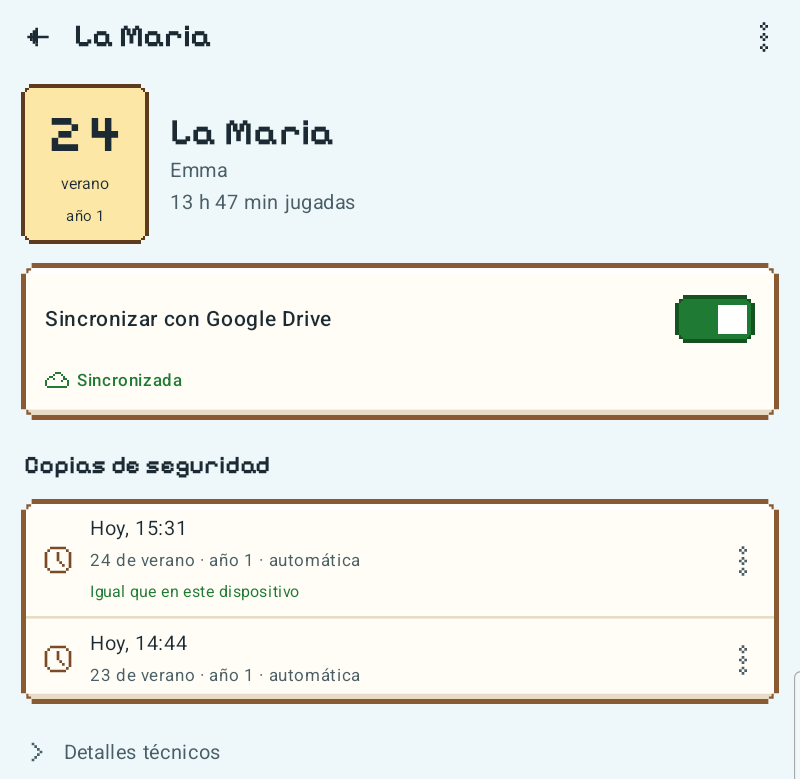
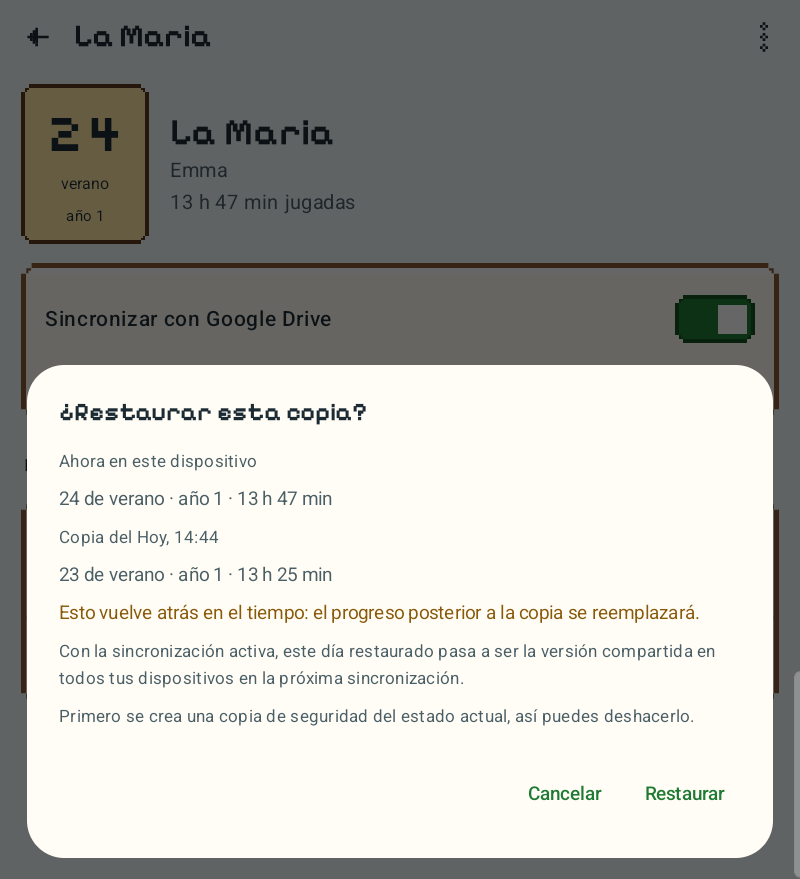
I gave one instruction more than once: do not break my saves. Claude turned that into nine rules that live in the code itself, where no button can skip them. A snapshot before every write. Nothing is written while the game is in memory, and the game is never force-stopped. No save from a newer game version. A farm’s identity is its folder name including its ID. Verify after every write and roll back on any mismatch.
Rule five came from a mistake. During testing, a farm vanished from the phone, and Claude helpfully restored it from the backup. I had deleted it on purpose. That became “never re-create a farm the user deleted”, and it is why an old farm now shows up as a backup, not as a farm.
Sync, and the decision I did not want to make
The first version moved farms between devices with export and import. It worked, and it was tedious enough that I asked for Google Drive the same afternoon. Each person picks their own Google account; the app creates a “Farm Sync” folder there and cannot see anything else. Claude set up the OAuth client and the consent screen by driving the Google Cloud console in my browser, and wrote the privacy policy that now lives on this site.
Then came conflicts: the same farm played on two devices since the last sync. The first design asked me which version to keep. I told Claude that deciding this was the app’s job. Now the version with more play time continues everywhere. The other one is never deleted: it stays in Drive and as a backup on its device. Unsaved mid-day progress is never overwritten without asking; the newer day waits until you sleep in-game.
Sync also runs whenever the app opens and never in the background. I would rather know when it happens than pay for it in battery.
It looked like an app for developers
The first build worked and looked like an admin console. I asked for a pixel-art version in the mood of the game, without borrowing anything from it. Claude drew its own launcher icon on a 32-by-32 grid, picked two open-licensed pixel fonts and an MIT icon set, and built a “valley sky” colour scheme with checked contrast. The signature element is a little calendar tile per farm, tinted by season.
On the tablet the year did not fit into the tile, and the pixel font’s 5 looked like an S. Both were fixed before I could get annoyed about them.
Then I asked a second AI to break it
By late afternoon everything worked on both devices, and that was exactly the moment I trusted least. Nobody in my household can read Kotlin, so I had Claude write a handover for OpenAI’s Codex: what the app does, the nine rules, and a hard rule never to touch a real device or save. Then I let Codex review the code.
It found 20 problems. Some were the kind I could follow without reading code. If the app was killed between writing the two main files, the farm was left half old and half new. Restoring a day that the other device already knew made the next sync quietly undo the restore. Two devices syncing at the same moment could overwrite each other’s history in Drive.
Claude fixed them, and the fix for the last one changed the design: there is no shared history file any more. Every upload is its own unchangeable file, and every device works out the newest version from the same set, so there is nothing two devices can overwrite.
Then I sent Codex back, five more times. The rounds found 8, 6, 3, 3 and finally 1 issue, each one narrower than the one before. The last one needed a player to save a day in the short gap between two checks of a retried download. The test suite grew from 33 to 99 tests, most of them simulating exactly those moments: a crash between two file renames, the game saving during a download, a sign-in cancelled while Android closes the app.
The research took the morning and the app took the afternoon. Making it trustworthy took the whole evening.
The tablet test
The tablet got the real test. Claude installed the new version over Wi-Fi, copied in a throwaway copy of a farm, and restored, synced and force-quit the app mid-write. It also built the “interrupted in the middle of a swap” case by hand to watch the recovery. La Maria, the farm we actually play, was never touched, and it was byte-for-byte identical to its backup afterwards.
The device found one more thing the reviews could not: a write killed at the right moment left temporary files behind. Harmless, now cleaned up on start.
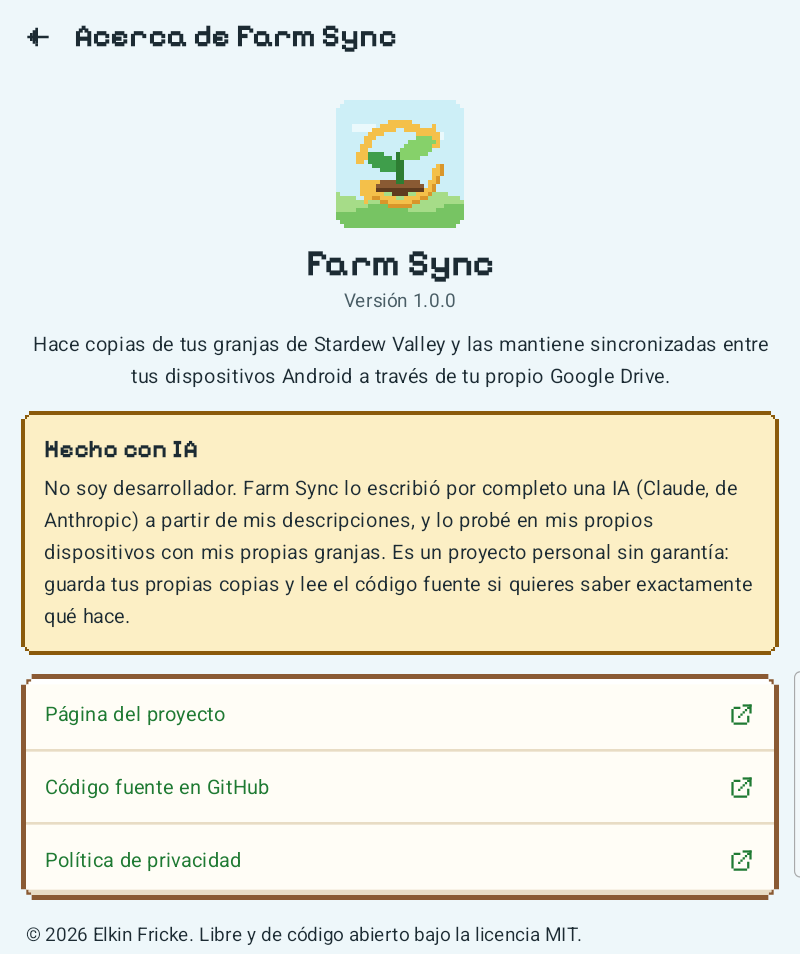
Built with Claude, and what that actually looked like
Claude wrote every line of code, every test, the research notes, the privacy policy, the setup guide and the first draft of this post. Codex found the problems. I made the decisions: which Google account is mine and which is the developer’s, that conflicts are the app’s job, that there is no background sync, that the tablet wins today, that a restore I chose should stick. I also tested, and I said no when something felt wrong.
The model got things wrong in ways that were mostly mine to catch. It restored the farm I had deleted. It installed the app twice on a phone with a second Samsung profile. Once it read the screen while another app was in front, and since then it checks first. Each of those became a rule, and the rules stayed.
Try it yourself
The setup guide walks through it in five steps and about 15 minutes per device: Developer options, Shizuku, Wireless debugging, the app, and your Google Drive. No computer is needed. Once it runs, the user guide explains every screen and the everyday situations, from playing on two devices by mistake to moving a farm to a PC. The APK is on the release page, and the project page has the short version.
Two honest warnings. On Samsung devices you have to switch off Auto Blocker. And Shizuku only runs while Wireless debugging is on, which Android only allows on Wi-Fi you have approved. There is no warranty of any kind; it is a hobby project that two AIs and one non-developer built in a day.
If it eats your farm, at least there will be a backup.
Links
- Source code (MIT): github.com/managementboy/farmsync
- Download (APK): Farm Sync 1.0.0
- Setup guide: docs/SETUP.md
- User guide: docs/USER-GUIDE.md
- Project page: elkin.de/farm-sync
- Privacy policy: elkin.de/farm-sync-privacy
- Shizuku: shizuku.rikka.app
Stardew Valley is a trademark of ConcernedApe LLC. Farm Sync is an independent fan project and is not affiliated with or endorsed by ConcernedApe or Chucklefish.

Leave a Reply
You must be logged in to post a comment.